Enquiry or Quote
Start where the work starts.
Manage jobs, teams, planning, tracking, paperwork, finance and customer updates from one connected platform. Pocket Freight & Trade supports the journey from enquiry and quote through to completion, invoice and payment, while your team can also create quotes or jobs directly when that suits the work better.
Start where the work starts.
Price, quote and confirm.
Turn the quote into live work.
Keep everyone up to date.
Capture proof and paperwork.
Invoice and take payment.
Everything customers, office teams and drivers need to manage work together across phone and desktop.
Create jobs directly, build collection and delivery stages, add addresses, notes, charges, products and services, then keep every stage organised through to completion.
Customer users can submit enquiries, while your team can create quotes directly, revise pricing, record responses and convert agreed work into live jobs.
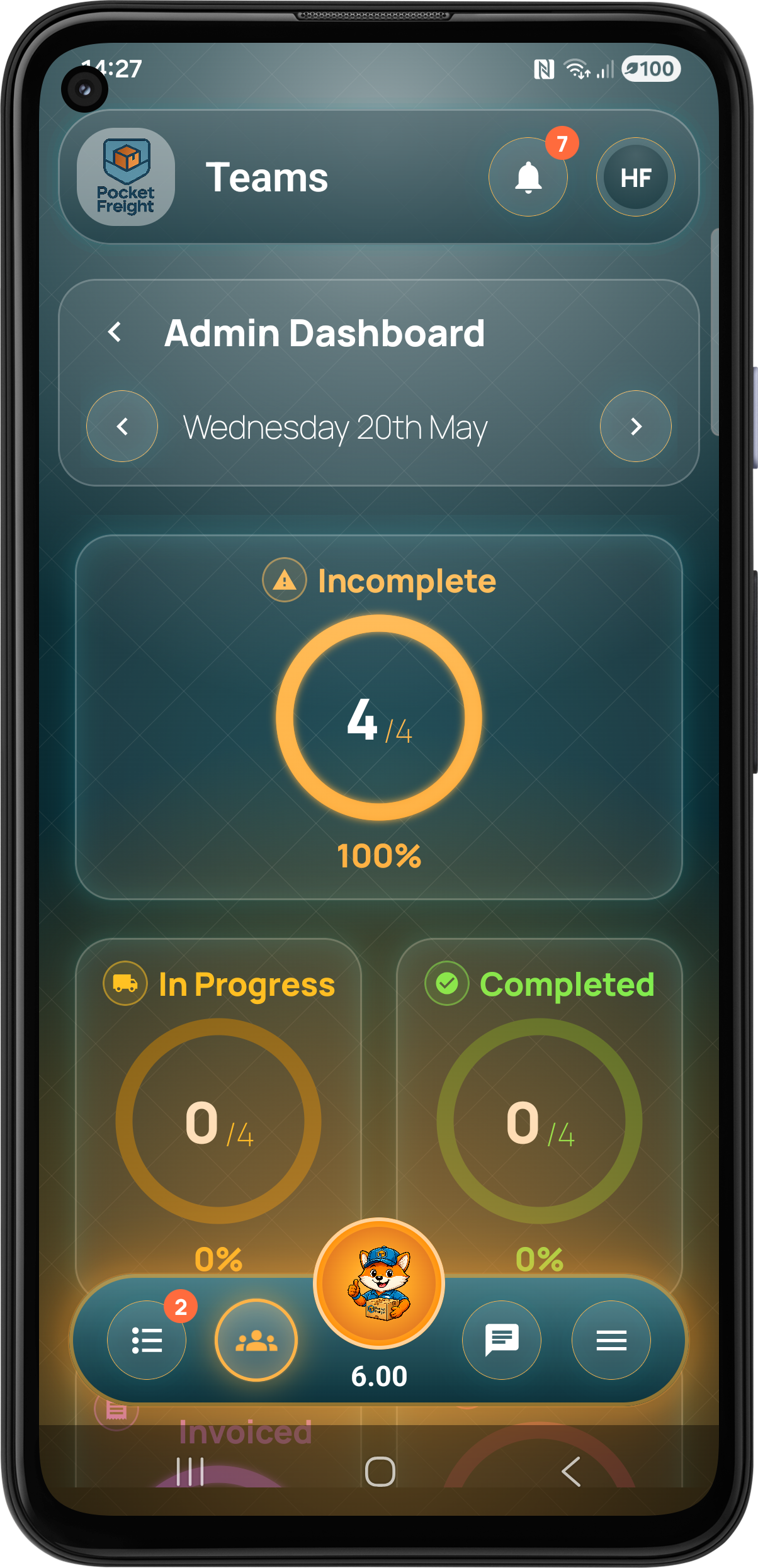
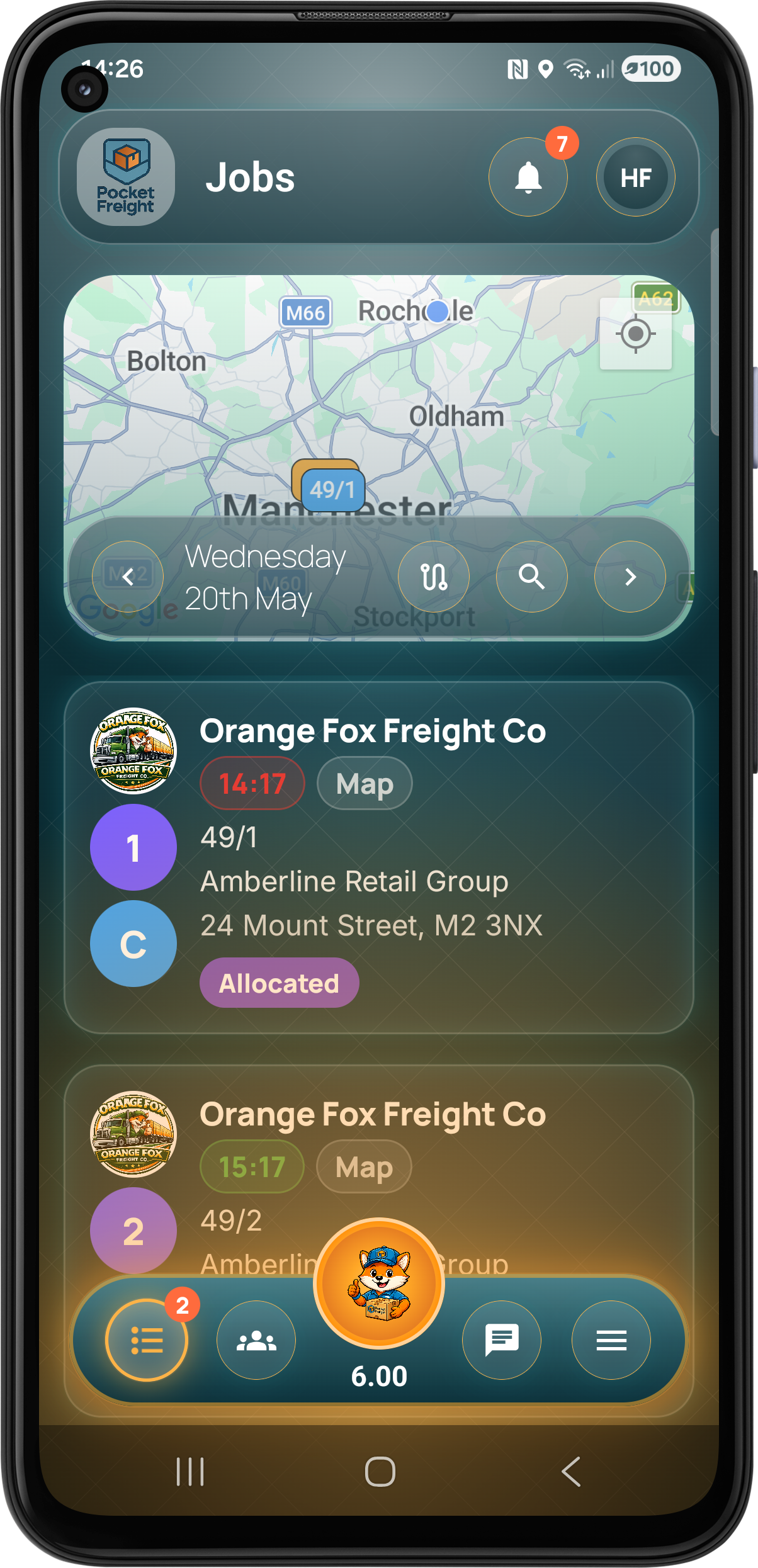
See the work ahead, allocate jobs to the right team members and manage the day from the Web Portal or mobile apps.
Optimise routes containing multiple jobs or stages and give mobile users a clear running order for the day.
Follow company users in real time and give customers live progress, driver location, distance and estimated arrival information when available.
Capture signatures, printed names, photos, notes and completion evidence so the proof stays connected to the job.
Create configurable job and general checklists, record service completion and keep damage information and supporting evidence with the work.
Manage job documents, itemised or total-job pricing, VAT, invoices and payment status. Businesses can connect Stripe to accept invoice payments online.
Use Owner, Admin and User roles, communicate through real-time chat, share attachments and keep operational notifications flowing.
Manage customers and reusable addresses, then optionally give customer users access to enquiries, quotes, jobs, tracking, paperwork, finance and messages.
Keep reusable depots, customer addresses, products and services ready to use across jobs and operational workflows.
Run the office from the Web Portal while drivers, field teams and customers use the native Android and iPhone apps as part of the same platform.
Add customer users when you want customers inside the workflow. They can submit enquiries, review quotes, accept or reject with notes, follow jobs, view tracking, access paperwork and keep track of finance without seeing the internal parts of your operation.
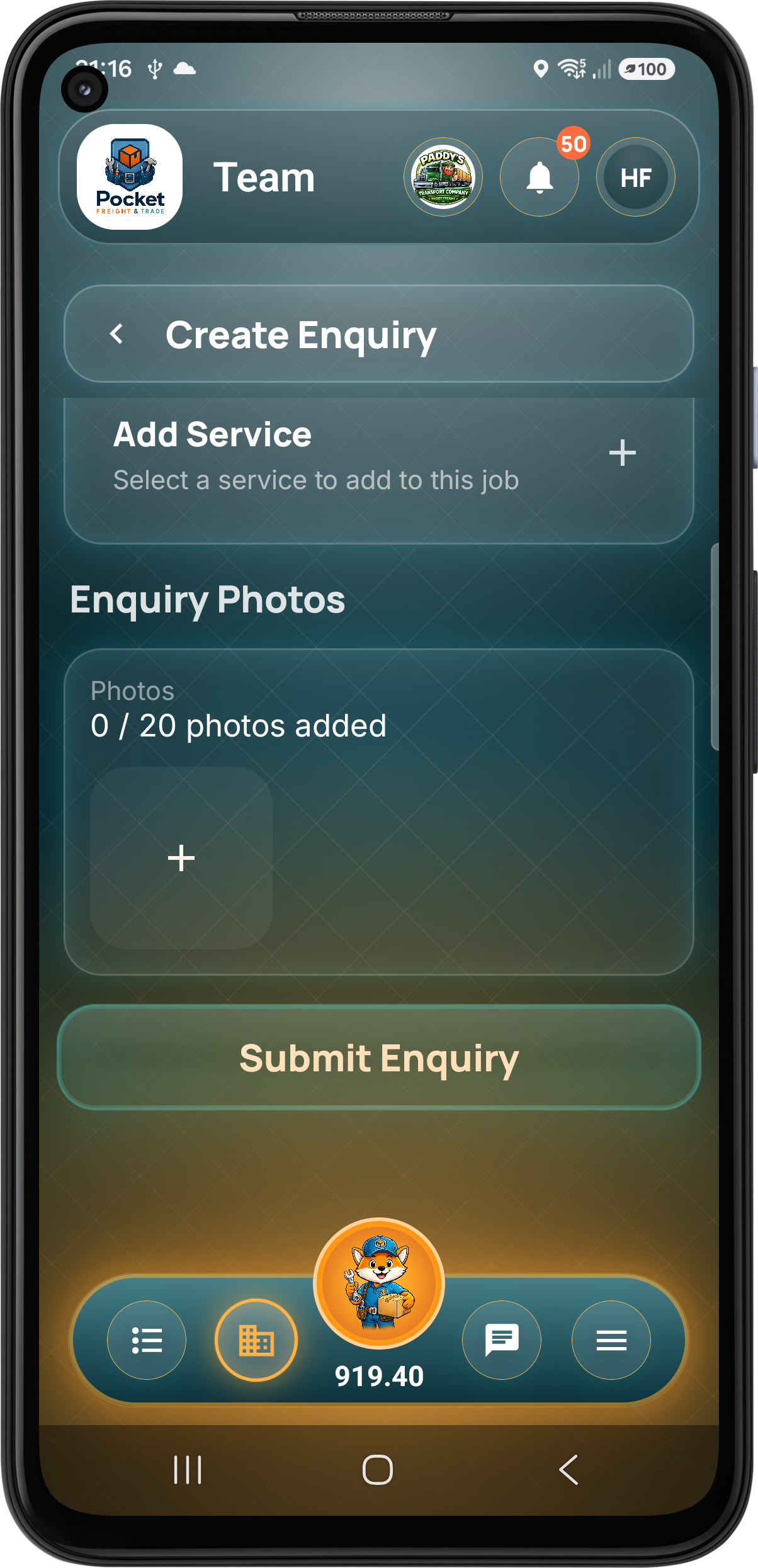
The customer submits the work, locations, products, services and supporting photos.
Owners and admins price the work and send the quote directly to the customer.
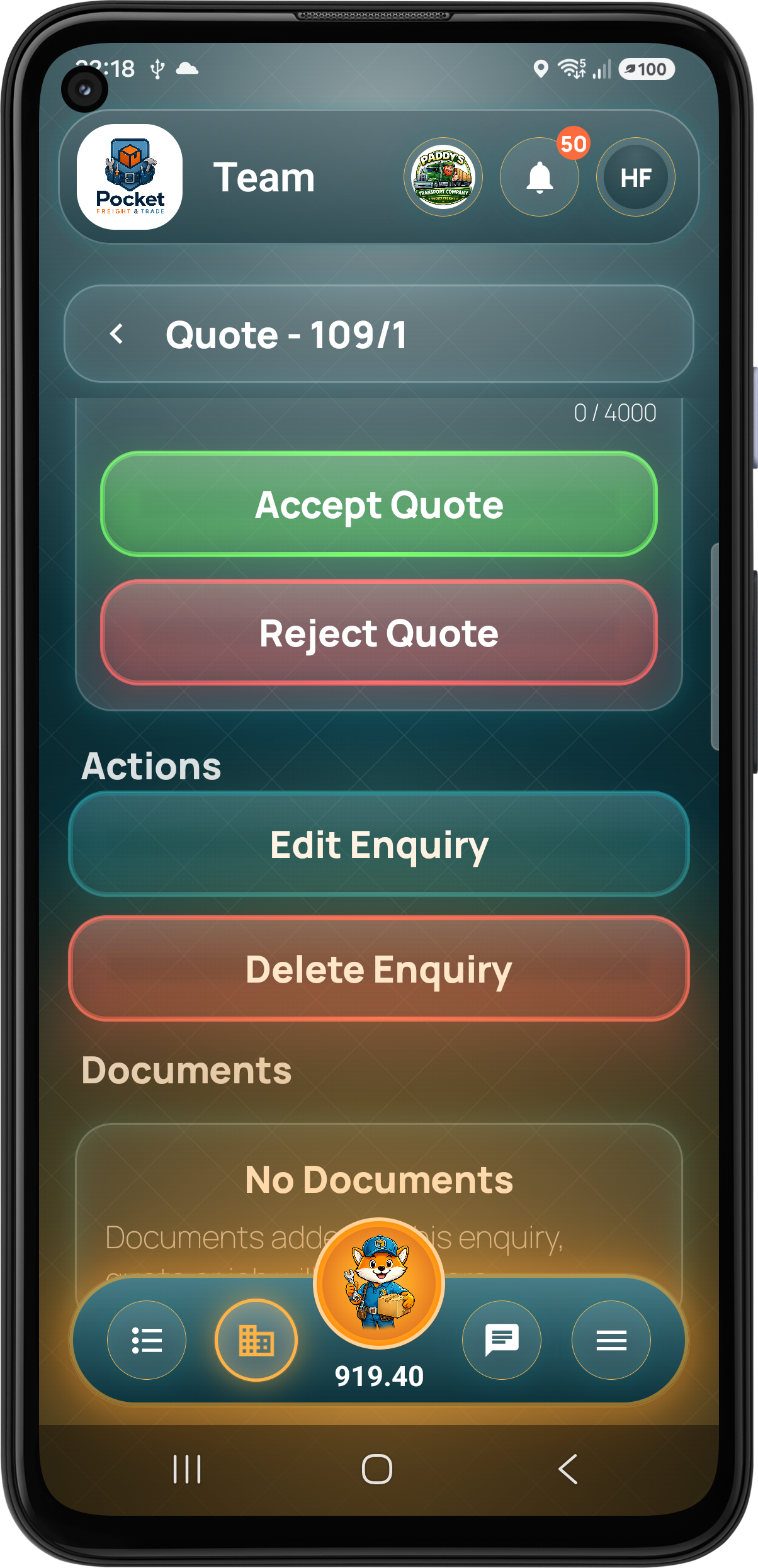
The customer accepts or rejects with notes. Quotes can be revised until agreed or cancelled.
An accepted quote is converted into a job ready for planning, allocation and completion.
The customer follows progress, driver location and ETA while the job is moving.
Proof, paperwork and invoice information remain available inside the customer workspace.
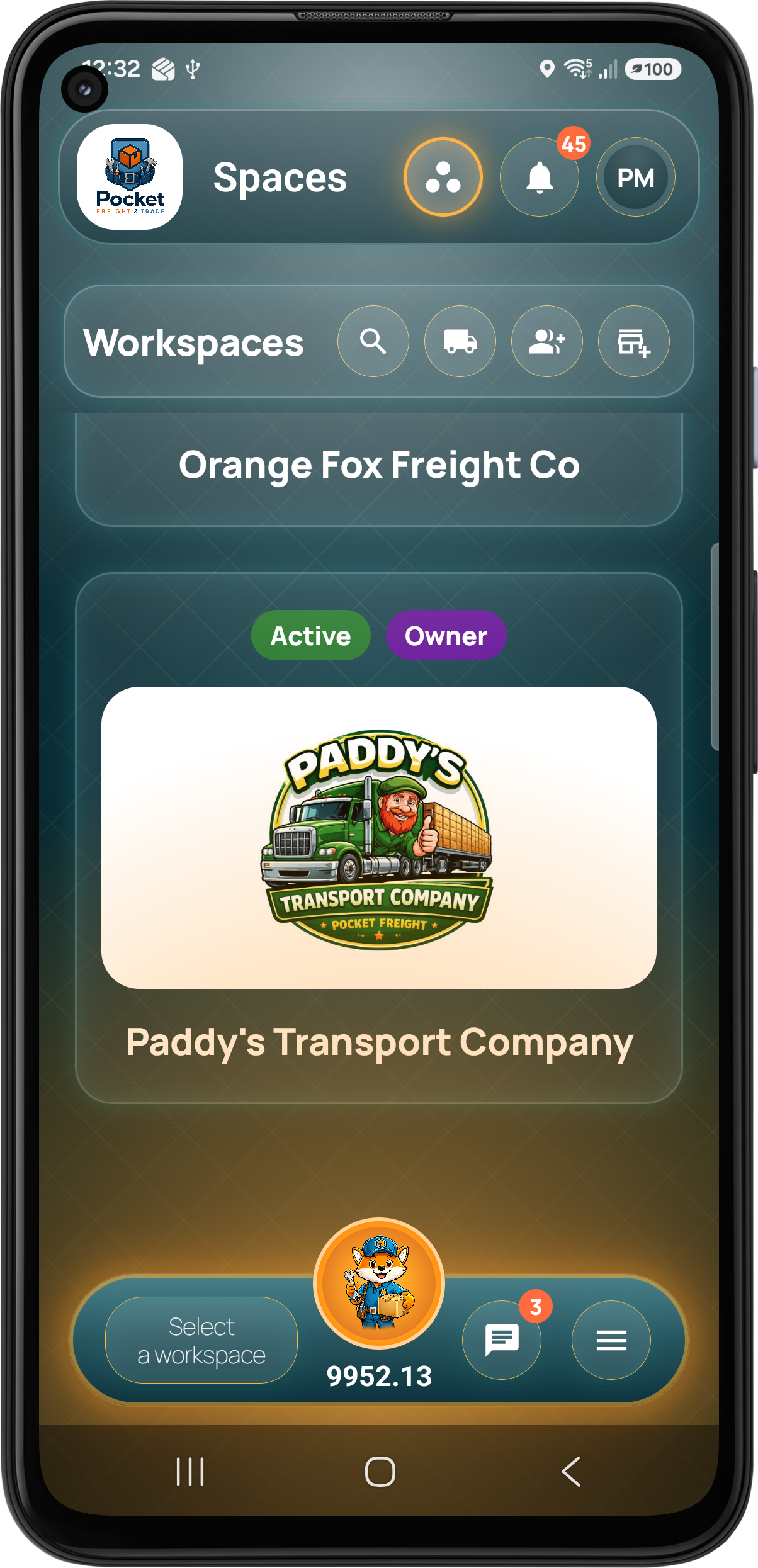
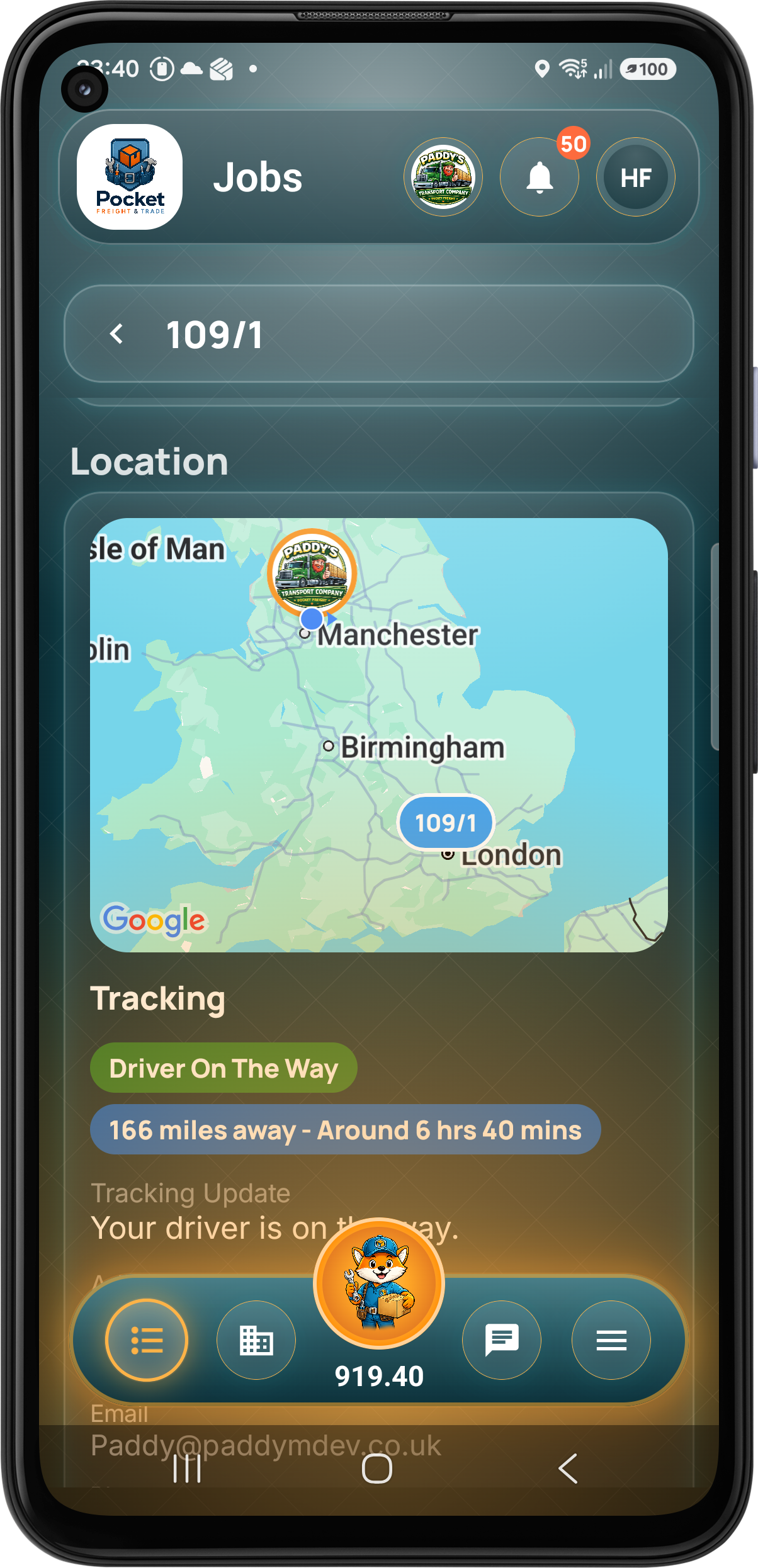
Non-workspace customers can download the app, sign in and enter their tracking reference and postcode from the workspace screen. They receive the same secure job progress, driver location and ETA experience.
Learn More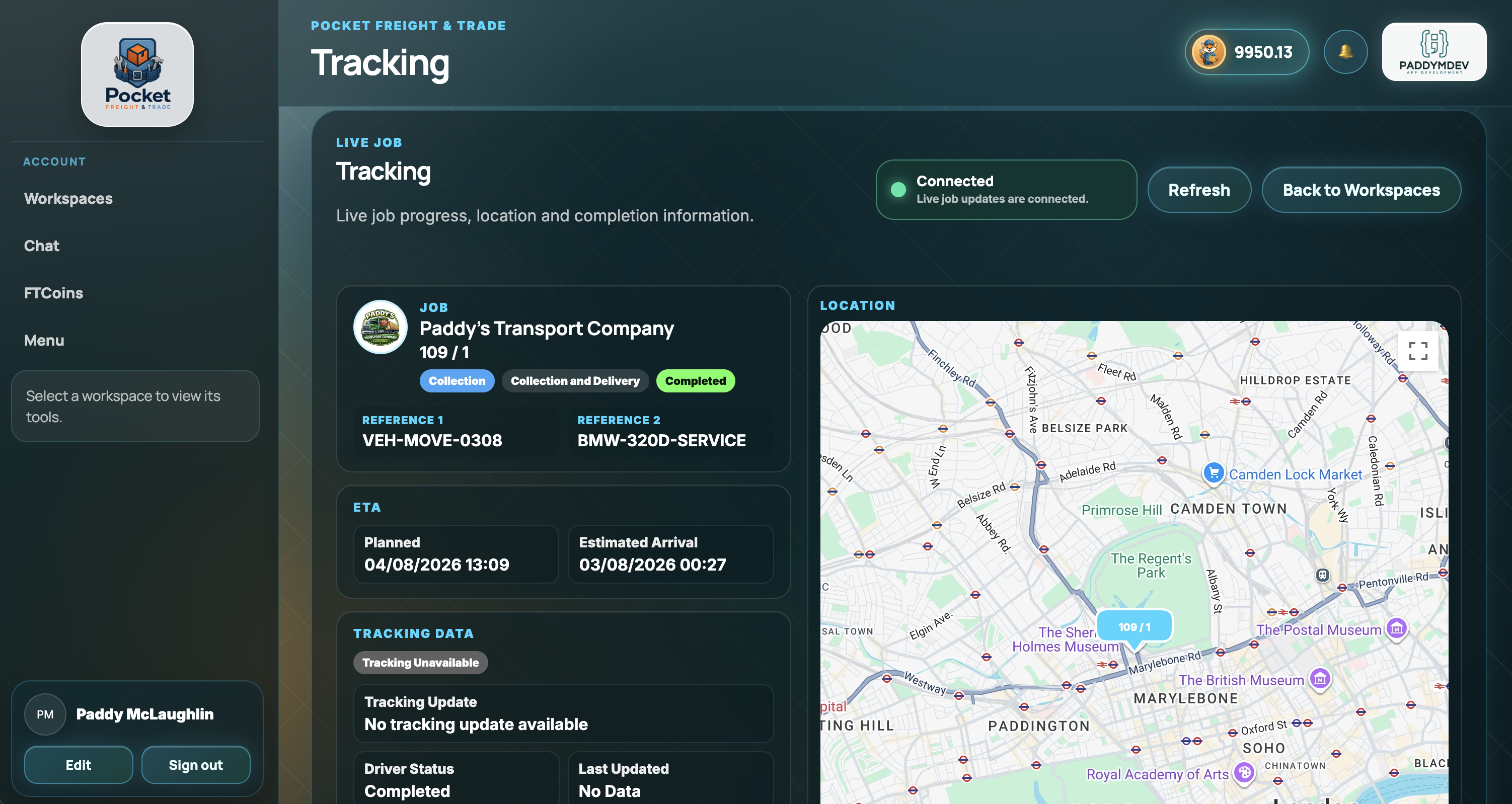
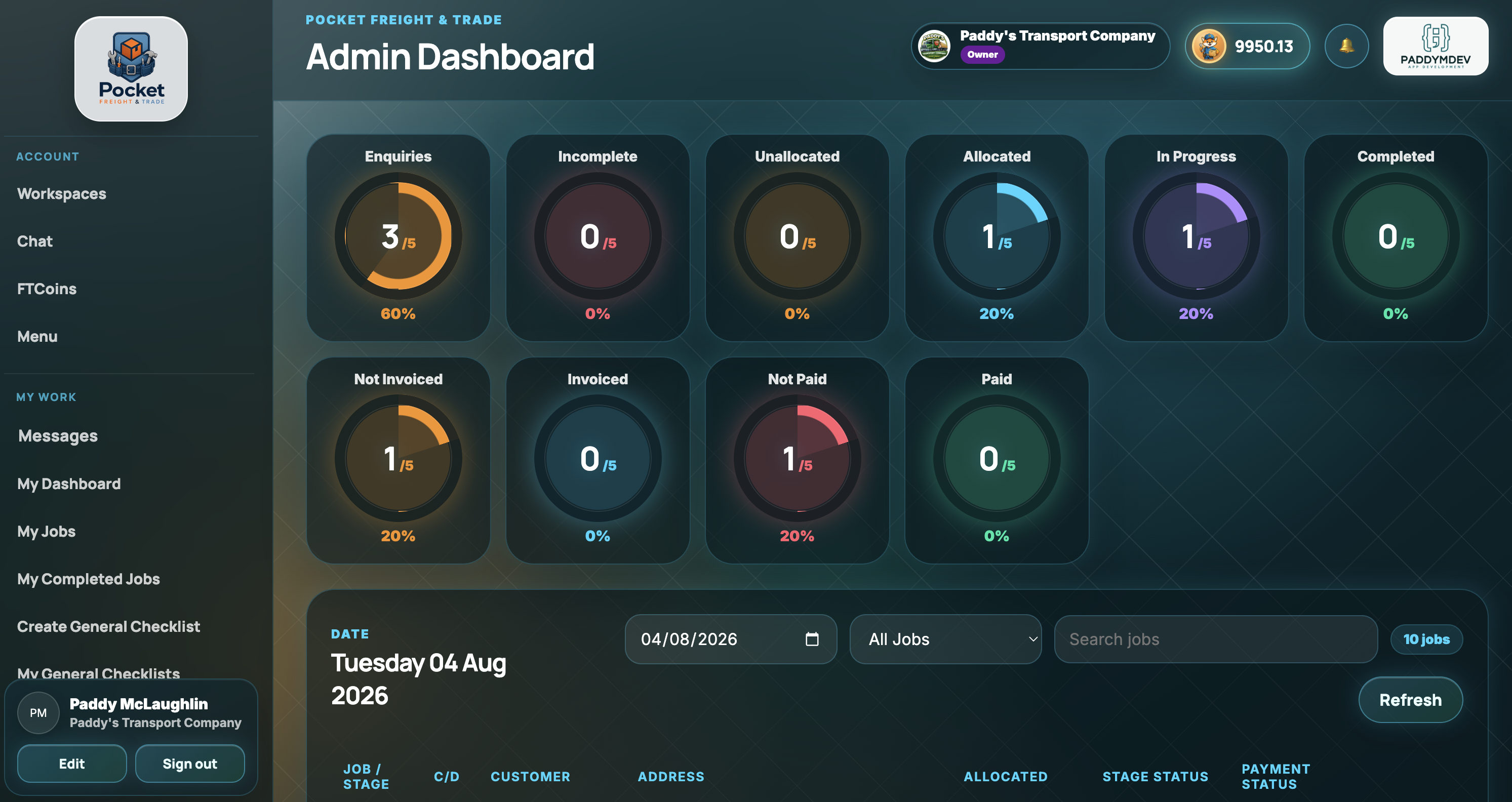
Owners, admins and planners can manage enquiries, jobs, allocation, tracking, paperwork, finance and messages from the web portal while drivers and customers use the mobile apps.
Open Web Portal

Pocket Freight & Trade ships with configurable defaults for eleven service categories, while still letting every team tailor products, services, checklists and workflow options to match its own operation.
For teams collecting, transporting and delivering vehicles, pallets, parcels and custom cargo.
For mobile teams carrying out repairs, maintenance, cleaning, installation, clearance and specialist services.
Vehicles, pallets, parcels, materials, parts and custom items stay connected to the job.
Add service tasks, costs, durations, notes and service-specific checklist evidence.
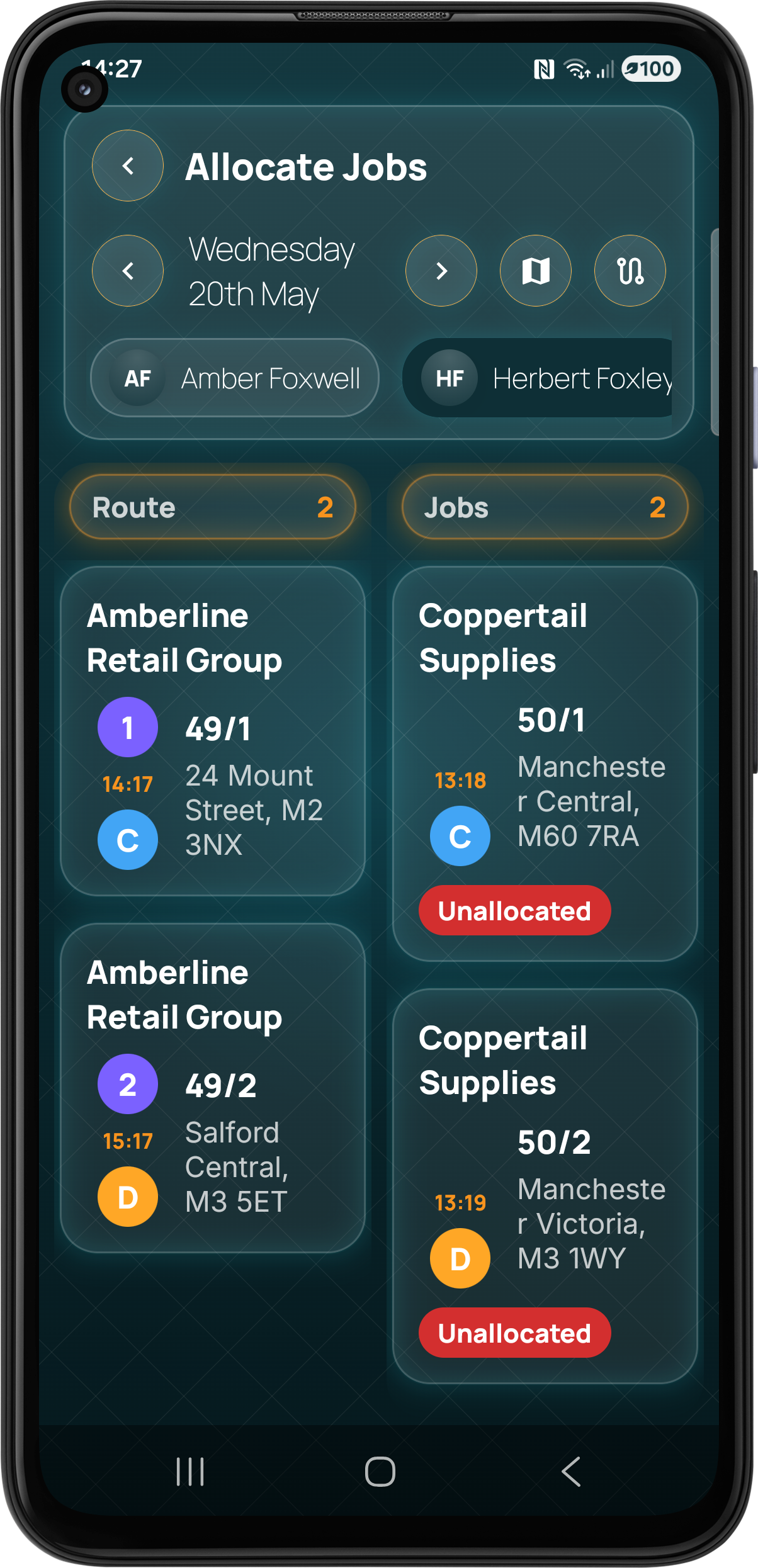
Our drag and drop planner makes it simple to create jobs, allocate team members, optimise routes and keep the day on track from mobile or desktop.
For businesses on the move.

Transport & Logistics Teams
Vehicle & Pallet Operators
Trades & Field Services
Property & Maintenance Teams
Pocket Freight & Trade integrates with Stripe so businesses can take secure online invoice payments without breaking the operational workflow.
Connect your own Stripe account to Pocket Freight & Trade and give customers a secure way to pay invoices online.
Use FTCoins when you want complete flexibility, or choose a 30-day subscription with included job stages, team users and route optimisations for regular use. If you need more during an active plan, add a top up without changing the whole subscription.
Start with FTCoins for flexible pay-as-you-go use, or move to a 30-day subscription when regular work makes an included allowance better value.
Buy a balance and use it for selected chargeable actions. There is no 30-day plan to manage and the balance stays available until you use it.
Choose a plan with included job stages, team users and route optimisations for each 30-day period.
Active subscribers can add eligible capacity during the current 30-day period without replacing the plan.
Unused finite job-stage and route-optimisation allowance can carry forward into company credits for future eligible use.
FTCoins are the flexible option for lighter or occasional use. Buy the balance you want and use it for selected chargeable workflow actions.
Choose the balance that suits your workload. The current product catalogue is loaded directly from Pocket Freight & Trade.
FTCoin pack
5 FTCoins
FTCoin pack
10 FTCoins
FTCoin pack
25 FTCoins
FTCoin pack
50 FTCoins
FTCoin pack
100 FTCoins
FTCoins are purchased securely through the supported Pocket Freight & Trade purchase flow. Store pricing or tax can vary by platform or region.
Each plan includes a defined allowance for job stages, team users and route optimisations during the 30-day period.
Starter 30 day subscription
Essential 30 day subscription
Professional 30 day subscription
Business 30 day subscription
Business Plus 30 day subscription
Enterprise 30 day subscription
Unlimited 30 day subscription
Add extra capacity to an active 30-day subscription. Top ups extend the plan you already have rather than creating another payment model.
Job Stages
Job Stages
Job Stages
Job Stages
Team Users
Team Users
Team Users
Route Optimisations
Route Optimisations
Route Optimisations
Route Optimisations
No. FTCoins remain available as the pay-as-you-go option if a 30-day subscription does not suit your workload.
Subscription plans run in 30-day periods and renew into the next 30-day period while the subscription remains active.
You can buy eligible top ups for job stages, team users or route optimisations while the subscription is active.
Eligible unused finite job stages and route optimisations can roll into company credits for future eligible use.
Download Pocket Freight & Trade on Android for assigned jobs, routes, tracking, checklists, photos, signatures, services, completion and day-to-day mobile work.

Download Pocket Freight & Trade on iPhone and work through the same connected job workflow with your team and customers.

Use the Pocket Freight & Trade Web Portal for dashboards, enquiries, quotes, jobs, planning, allocation, tracking, paperwork, finance, customers, teams and administration.
Clear answers about features, tracking, pricing, customer access, Android, iOS and the Web Portal.
Pocket Freight & Trade is a connected operations platform for jobs, planning, mobile teams, live tracking, customer access, proof, paperwork, finance and payments across Android, iOS and Web.
It is designed for transport, logistics, courier, delivery, vehicle transport, trades, field service, property maintenance, cleaning, landscaping, mobile vehicle services, waste, removals, installation and other businesses that manage work away from the office.
Yes. The platform includes native Android and iOS apps plus a Web Portal for office, planning, administration and finance work.
Yes. Your team can create jobs and quotes directly. Customer users are optional and are only needed when you want customers to use the customer workspace and enquiry flow.
When a customer user is added to a customer workspace they can submit an enquiry with the job information and supporting details. Your team can then review it, price it and continue the workflow.
Yes. Owners and admins can create and send quotes, revise them where needed and record the customer response before converting agreed work into a live job.
Yes. Jobs can contain multiple operational stages, including collection and delivery stages, so more complex work can stay together under one job.
Yes. Planning and allocation tools let you assign work to company users and organise the day from the Web Portal or mobile apps.
Yes. When a route contains multiple jobs or stages, Pocket Freight & Trade can optimise the running order to help make the route more efficient.
Yes. Authorised users can view live company-user location when location sharing is enabled and current.
Yes. Eligible customer tracking can show job progress, driver location when available, distance and estimated arrival information. Customer users can access tracking in their workspace, and reference and postcode tracking can also be used where enabled.
Yes. Mobile users can capture signatures, printed names, photos, notes and other completion evidence against the job.
Yes. Pocket Freight & Trade supports configurable job checklists and general checklists so teams can standardise how work is completed and recorded.
Yes. Damage information and supporting evidence can be recorded and kept with the relevant work.
Yes. Job documents, proof, invoices and other paperwork can be managed inside the platform and made available to the relevant users and customers.
Yes. A business can connect its own Stripe account and accept customer invoice payments through the Pocket Freight & Trade workflow.
FTCoins are the pay-as-you-go option. They are used for selected chargeable actions when a business chooses to pay for usage without a subscription.
A subscription runs for 30 days and includes the job stages, team users and route optimisations defined by the selected plan. The next 30-day period starts when the subscription renews.
Top ups add extra eligible job stages, team users or route optimisations during an active 30-day subscription period without changing the whole plan.
Eligible unused finite job-stage and route-optimisation allowance can carry forward into company credits for future eligible use.
Yes. FTCoins remain available as the pay-as-you-go option.
Provider workspaces support Owner, Admin and User roles. Customer users have a separate restricted workspace with access only to customer-facing areas.
Customer users can access relevant enquiries, quotes, jobs, tracking, paperwork, finance and messaging with authorised company users.
Yes. Pocket Freight & Trade is actively developed across Web, Android and iOS. If the platform is close to what you need but an important workflow or integration is missing, contact us and we can discuss whether we can help.
Create or sign in to your account through the Web Portal, or download the Android or iOS app and follow the setup flow for your business or customer workspace.
Last updated: 23rd May 2026
Pocket Freight & Trade (“we”, “our”, or “us”) respects your privacy and is committed to protecting your personal data. This Privacy Policy explains how we collect, use and safeguard your information when you use our mobile applications, website and related services.
We may collect the following information when you use Pocket Freight & Trade:
We use your information to:
We do not sell your personal information. Information may be shared with:
We retain your information for as long as your account remains active or as required to provide services, comply with legal obligations, resolve disputes and enforce agreements.
We use appropriate technical and organisational measures to protect your information, including secure cloud infrastructure, authentication systems and encrypted connections. However, no method of electronic storage or transmission is completely secure.
Depending on your location, you may have the right to access, update, correct or delete your personal information. You may also request a copy of the data we hold about you.
Pocket Freight & Trade may use location services to provide live tracking, ETA updates, route optimisation and operational visibility. Location data is only collected where permission has been granted through your device settings.
Pocket Freight & Trade may track FTCoin balances, transactions and usage activity in order to provide app functionality including job stage creation, route optimisation and feature contributions.
Any information, files, photos, delivery notes, documents or attachments uploaded by users remain the responsibility of the user who provided them. By uploading content, you confirm that you have the necessary rights and permissions to do so.
We may use third-party analytics and advertising services to understand app usage, improve performance and support development of the platform.
Services may include:
These services may collect device identifiers, usage information, interaction events and advertising identifiers where permitted.
Pocket Freight & Trade is not intended for children under the age of 13 and we do not knowingly collect personal information from children.
We may update this Privacy Policy from time to time. Any changes will be posted on this page with an updated revision date.
If you have questions regarding this Privacy Policy or your data, please contact:
Email: support@pocketft.co.uk
Last updated: 23rd May 2026
You can permanently delete your Pocket Freight & Trade account and associated data at any time.
Inside the Pocket Freight & Trade app:
This will permanently remove your account and associated Pocket Freight & Trade data.
You can also request deletion using the contact form on this website. Please include the email address associated with your Pocket Freight & Trade account so we can identify your data.
Once your deletion request has been confirmed, your account data will be permanently deleted within 30 days, unless we are required to retain limited information for legal, accounting, security or dispute-resolution purposes.
Some limited records may be retained where required by law or for legitimate business purposes, such as payment transaction records, fraud prevention logs, tax records or records needed to resolve disputes.
If you need help deleting your account, please contact us using the website contact form or email:
Email: support@pocketft.co.uk
Have a question, want to discuss pricing or onboarding, need support, or like Pocket Freight & Trade but need a feature or integration that is not there yet? Send us a message and we will see how we can help.